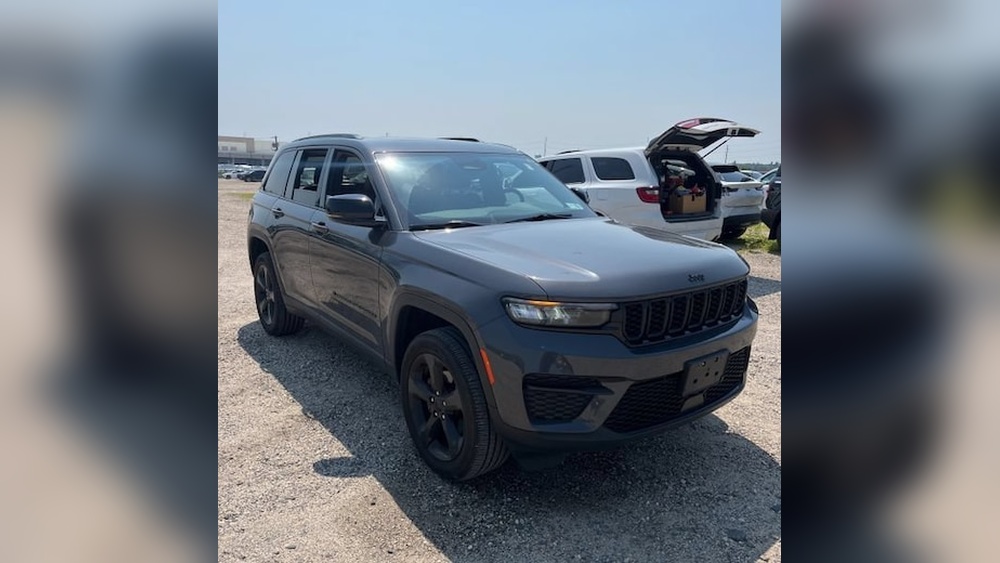
When you buy a new Jeep or want to connect your vehicle with technology, the Jeep app can make life easier. It offers remote start, live vehicle health updates, find-my-car, and more. But a common problem happens: the Jeep app does not recognize your VIN (Vehicle Identification Number). This can block you from important features and cause stress, especially when you expect everything to work smoothly after registration.
You are not alone. Many Jeep owners face the “VIN not recognized” issue. It happens with both new and used Jeeps, and affects different models and years. Sometimes, the app fails to accept the VIN during setup. Other times, the app may lose connection after an update.
This article explores why this happens, how to fix it, and what you can do to prevent future issues. You’ll find real solutions and insights that most quick guides miss. Let’s make your Jeep tech experience smooth again.
Understanding The Jeep App And Vin Connection
The Jeep app (officially called Jeep Connect or Jeep Brand App in different regions) is designed to pair your vehicle with your smartphone. To unlock features like remote lock/unlock, vehicle diagnostics, and service reminders, you must link your car using its unique VIN.
What Is A Vin?
The VIN is a 17-character code that acts as your vehicle’s fingerprint. It includes letters and numbers, showing where your car was made, its model, and other details. You can find your VIN:
- On the dashboard, near the windshield on the driver’s side
- Inside the driver’s door frame
- On your vehicle registration or insurance card
When you enter your VIN in the Jeep app, the system checks it against Jeep’s database. If the VIN is not recognized, the app cannot link to your vehicle.
Why The Vin Is So Important
The VIN is the gateway to all personalized features in the app. Without a recognized VIN, you cannot:
- Start your car remotely
- Check vehicle health reports
- Locate your Jeep
- Get service reminders
- Access roadside assistance from the app
This is why VIN recognition is critical. A single error, outdated database, or account issue can lock you out of these tools.
Main Causes: Why The Jeep App Doesn’t Recognize Your Vin
There are several reasons why the Jeep app rejects or fails to recognize your VIN. Understanding these helps you pick the right solution.
- Typo or Input Error: The most common cause. Entering a wrong character, confusing “O” with zero, or missing a letter leads to rejection.
- VIN Not in Jeep’s Database: New vehicles, imported Jeeps, or cars just out of the factory may not be added to Jeep’s central system yet.
- App Version Issues: Using an outdated app or one with bugs can cause VIN recognition problems.
- Account Mismatch: If the Jeep is registered to a previous owner, or if your account information doesn’t match, the VIN may be blocked.
- Network or Server Problems: Sometimes, Jeep’s servers are down or slow, so the app can’t check the VIN.
- Regional Restrictions: Some features or VINs are only supported in specific countries or regions.
- Software Update Delays: After a big system update, there may be a lag before all VINs are recognized again.
- Vehicle Not Supported: Older Jeep models or those without certain tech packages might not be compatible with the app.
Let’s look at real examples:
- A buyer in California entered their 2026 Jeep Grand Cherokee’s VIN but was told “VIN not recognized.” It turned out the dealership had not updated the Jeep system with the new owner information.
- Another user in Germany had a VIN from a US-imported Jeep. The European app did not support US VINs, blocking the connection.

Step-by-step Solutions: Fixing The Vin Recognition Problem
You don’t have to be a tech expert to solve this. Most VIN issues can be fixed by following clear steps.
1. Double-check Your Vin Entry
- Make sure you enter all 17 characters.
- Avoid common mistakes: “0” (zero) vs “O” (letter O); “1” (one) vs “I” (letter I).
- Look at your registration, not just the windshield, to confirm.
2. Update The Jeep App
- Go to your App Store (iOS) or Google Play (Android).
- Search for “Jeep” and check for updates.
- Install the latest version. Many bugs are fixed in new releases.
3. Restart Your Phone And The App
- Close the app completely (not just minimize).
- Restart your phone.
- Open the app and try again.
4. Check Your Account Information
- Make sure your name, email, and address match your Jeep purchase records.
- If you bought the car used, the previous owner may need to remove their account first.
5. Try A Different Device
- Install the Jeep app on another phone or tablet.
- See if the VIN is recognized there. If it works, the issue may be with your device or app install.
6. Wait And Try Later
- Sometimes, Jeep servers are down for maintenance. Wait a few hours and try again.
7. Contact Jeep Support
If basic steps fail, reach out to official support:
- Call Jeep customer service (number in your manual or on Jeep’s website).
- Use the “Contact Us” feature in the app.
- Provide your VIN, app version, and phone model for faster help.
8. Visit Your Dealership
If you bought your Jeep from a dealer, ask them to:
- Check if your VIN is registered in Jeep’s system.
- Update ownership info if needed.
- Help with app setup on-site.
9. Check For Regional Issues
- If you imported your Jeep, make sure the app supports your VIN.
- Some features are US-only or Europe-only.
10. Look For Software Updates For Your Jeep
- Some new features require a vehicle software update, done at a dealership.
How The Jeep App And Vin Database Work Behind The Scenes
The app talks to a central Jeep database. When you enter your VIN, the app sends it to Jeep’s server, which then checks:
- Is this a valid Jeep VIN?
- Is it linked to your Jeep account?
- Is the vehicle eligible for connected features?
If there’s any mismatch, the app shows an error. This system protects your car’s security but can lead to frustration if something is out of sync.
Here’s a simple comparison of common Jeep app connection problems and their solutions:
| Problem | Typical Cause | Quickest Fix |
|---|---|---|
| VIN Not Recognized | Typo, database delay, wrong account | Check entry, update app, contact support |
| App Crashes | Outdated app or OS | Update app and phone, reinstall |
| Missing Features | Unsupported region/model | Check compatibility, ask dealer |

Real-world Insights: What Beginners Usually Miss
Many new Jeep owners make the same mistakes when first using the app:
1. Not Waiting for Dealership Processing:
After buying a new Jeep, it can take 24–72 hours for your VIN to show up in Jeep’s digital systems. If you try to connect too soon, you’ll get a “not recognized” error.
2. Overlooking Previous Owner Accounts:
If you bought a used Jeep, the previous owner’s account might still be tied to the VIN. Until they remove it, you may not be able to register your vehicle in your app.
3. Regional and Feature Gaps:
Some Jeep Connect features are only available in certain countries or for certain models. For example, remote start may not work on all trims or in some European countries.
4. Forgetting to Update Vehicle Software:
The Jeep’s own infotainment system may need a software update before the app can connect. Many assume only the phone app matters, but the car’s software is key.
5. Ignoring Terms and Services Activation:
Many features require you to activate Jeep Connected Services, sometimes with a separate agreement or payment.
What To Do If You Still Can’t Register Your Vin
If you have tried every step and the Jeep app still does not recognize your VIN, here are advanced moves:
A. Confirm Vehicle Registration With Jeep
Ask your dealer or Jeep customer service to confirm:
- The VIN is registered in their central system.
- The vehicle is marked as sold to you (not in transit or “demo” status).
- All recalls or holds are cleared.
B. Get Proof Of Ownership
Sometimes, Jeep support will ask for a copy of your title, registration, or bill of sale. Be ready to send them securely if requested.
C. Reset Jeep Connect Services
If your car had a previous owner, ask them to:
- Log in to their Jeep account.
- Remove the vehicle from their app.
- Deactivate services linked to the VIN.
If you can’t reach the previous owner, your dealer can help transfer ownership.
D. Ask For A Manual Vin Update
In rare cases, Jeep technical support can manually add your VIN to the system. This usually happens for imported vehicles or special orders.
E. Use The Web Portal
Try registering your Jeep on the official Jeep owner’s website before using the app. Sometimes the web portal works even when the app does not.
How Jeep App Issues Differ By Model And Year
Not all Jeep vehicles are treated the same by the app. Here’s a quick comparison:
| Jeep Model / Year | App Compatibility | Common VIN Issues |
|---|---|---|
| 2026+ Grand Cherokee | Full (all features) | Dealer database delays |
| 2026 Wrangler | Most features | Account mismatch, app bugs |
| Pre-2018 Compass | Limited or none | Vehicle not supported |
| Imported Jeeps | Varies | Regional database issues |
Always check your specific model and year for app support.
Preventing Future Jeep App And Vin Issues
Prevention is easier than troubleshooting. Here’s how to avoid common problems:
- Register Your Jeep Early: If you just bought your Jeep, ask the dealer to help you register the vehicle and activate Jeep Connected Services before you leave.
- Keep the App Updated: Enable auto-updates for the Jeep app and your phone’s operating system.
- Double-Check Owner Transfer: If you sell or buy a Jeep, make sure both parties update or remove accounts quickly.
- Save Your VIN in Multiple Places: Have a photo of your VIN from the dashboard, door, and registration.
- Know Your Model’s Features: Check the Jeep website to see what features your model and trim support.
- Stay Informed: Join Jeep owner forums or groups to learn about updates and common issues.
Comparing Jeep App To Other Automaker Apps
The Jeep app is not alone in having VIN problems. Here’s how Jeep stacks up against other major car apps:
| Brand App | VIN Setup Success Rate | Common Issues |
|---|---|---|
| Jeep | 85-90% | Dealer delays, account mismatch |
| FordPass | 90-95% | Network errors, app bugs |
| myChevrolet | 87-92% | VIN not in database, device issues |
| Toyota App | 90-94% | Account transfer, region limits |
Jeep’s success rate is slightly lower, often due to the complexity of owner transfers and regional support.
Extra Tips For A Smooth Jeep App Experience
- Use the same email for your Jeep account and dealership paperwork. This helps avoid account conflicts.
- Write down error messages or take screenshots. If you call support, this speeds up the process.
- Try connecting to Wi-Fi instead of mobile data when using the app. Sometimes, network firewalls or poor cell signal block app functions.
- Ask about Jeep Connected Services when buying a used vehicle. Make sure the previous owner has deactivated their account.
When To Seek Professional Help
If you have tried everything and your VIN still isn’t accepted:
- Contact your local Jeep dealership. They have tools to update databases and can often fix account problems.
- Call Jeep customer support and request escalation if the first agent cannot help.
- If you imported your Jeep, contact the regional Jeep office for your country.
A real human expert can often solve what the app or website cannot.
Frequently Asked Questions
Why Does The Jeep App Need My Vin?
The VIN is your vehicle’s unique ID. The app uses it to connect your specific Jeep to your account and unlock features like remote start, diagnostics, and service reminders.
How Long Does It Take For A New Vin To Be Recognized By The App?
It often takes 24–72 hours after you buy a new Jeep for the VIN to be registered in Jeep’s system. If it’s not recognized after three days, contact your dealer or Jeep support.
Can I Use The Jeep App If I Bought My Jeep Used?
Yes, but the previous owner must remove the vehicle from their Jeep account. If not, you may need to ask a dealer to transfer ownership or reset the connected services.
What Should I Do If The Vin Is Correct But Still Not Recognized?
Try updating the app, restarting your device, and checking your account details. If problems continue, contact Jeep support or visit your dealership with your documents.
Where Can I Find More Help Or Official Information?
You can visit the official Jeep owners site for guides, support, and the latest news.
Getting your Jeep app and VIN working is not always instant, but with patience and the right steps, you can unlock all the smart features your vehicle offers. Stay proactive, and you’ll spend less time troubleshooting and more time enjoying your Jeep.