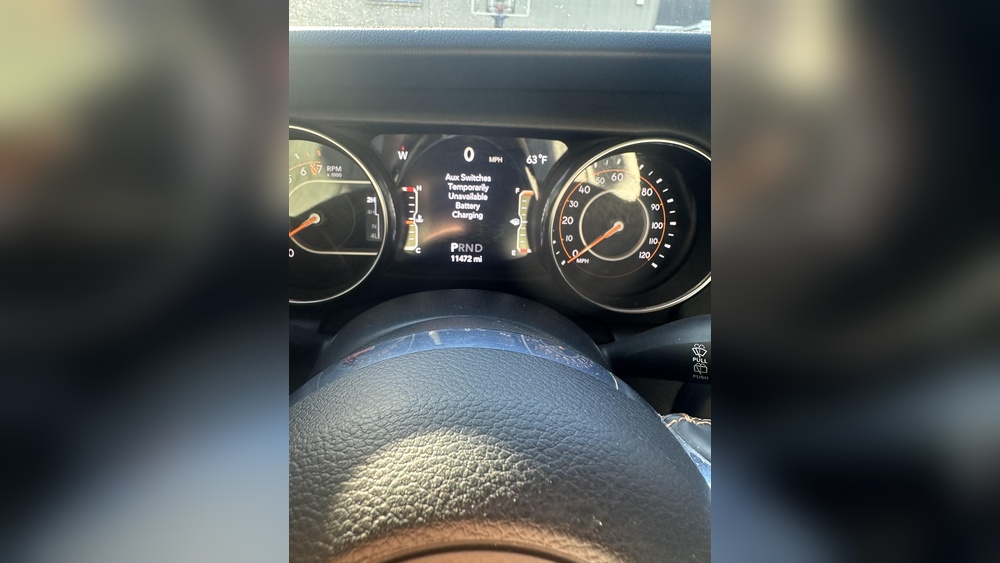
When you see the message Aux Switches Temporarily Unavailable Battery Charging in your vehicle, it can be confusing. This warning appears in many modern cars, especially electric vehicles (EVs), hybrids, and trucks with advanced electrical systems. It signals a temporary problem with auxiliary switches, often linked to battery charging and electrical management. Understanding this message, why it happens, and how to deal with it is important for every driver. This article explains what the warning means, its causes, fixes, and how to prevent future issues. You’ll also learn about the technology behind auxiliary switches and batteries, see real-world examples, and get answers to common questions.
What Does “aux Switches Temporarily Unavailable Battery Charging” Mean?
This warning message tells you that the auxiliary switches—buttons or controls for extra features like lights, accessories, or power outlets—are not working right now. The reason is usually the battery charging process. In electric and hybrid vehicles, the car’s computer sometimes disables non-essential functions during charging to protect the battery or electrical system. It can also happen in trucks with multiple batteries or heavy-duty electrical setups.
Aux switches are used for features like:
- Off-road lights
- Winches
- Extra power outlets
- Air compressors
- Custom accessories
When the battery is charging, the system may turn off these switches to avoid overloading the battery or electrical circuits. This is a safety feature built into many modern vehicles. It is not a permanent problem, but it can be annoying if you need those extra features right away.
Why Do Aux Switches Become Unavailable During Battery Charging?
There are several reasons the car’s system disables auxiliary switches while charging the battery:
- Battery Protection: Charging batteries (especially lithium-ion or AGM types) can stress the electrical system. Aux switches add extra load, so the car disables them temporarily.
- Electrical Safety: Some accessories can draw a lot of power. During charging, using them can cause voltage drops or overheating.
- Preventing System Overload: The car’s computer manages power flow. It prioritizes charging and disables less-important circuits.
- Software Updates: Sometimes, the car updates its software or runs diagnostics during charging. Aux switches may be disabled for this reason.
- Fault Detection: If the system detects an electrical fault or risk, it disables aux switches until the battery is fully charged or the issue is fixed.
Examples From Real Vehicles
- Ford F-150 (2026+): Many owners report seeing this message when plugging in their truck for charging. Aux switches for lights and winches are disabled until charging is finished.
- Tesla Model Y: During Supercharging, some accessory ports may be temporarily disabled, showing similar warnings.
- Ram Trucks: Heavy-duty models with dual batteries often turn off aux switches during high-load charging.
How Auxiliary Switches And Battery Charging Work Together
To understand why the warning appears, it helps to know how auxiliary switches and batteries interact. Vehicles have complex electrical systems. The main battery powers the starter, computer, and basic functions. Aux switches connect to auxiliary circuits—they run extra equipment.
Electrical Load Management
Modern vehicles use a body control module (BCM) or similar computer to manage electrical loads. When charging, the BCM detects battery voltage, temperature, and current flow. If aux switches are used, they can pull more power. To avoid damage, the BCM may shut down aux circuits.
Types Of Batteries
- Lead-acid batteries: Common in older cars. Sensitive to overcharging and voltage drops.
- Lithium-ion batteries: Used in EVs and hybrids. More complex charging needs, often protected by software.
- AGM batteries: Found in trucks and luxury cars. Handle loads better, but still protected during charging.
Typical Charging Scenarios
| Vehicle Type | Battery Type | Aux Switch Behavior During Charging |
|---|---|---|
| Gasoline Car | Lead-acid | Aux switches usually available, but may be disabled with low battery |
| Hybrid/EV | Lithium-ion | Aux switches often disabled to protect battery |
| Heavy-duty Truck | Dual AGM | Aux switches disabled during high-load charging |
Common Causes Of The Warning Message
Understanding the real reasons behind this warning helps you react quickly. Here are the most common causes:
1. Battery Charging In Progress
The car is plugged in or charging via generator. Aux switches are disabled until charging ends.
2. Low Battery Voltage
If the battery is weak or drained, the system disables aux circuits to save power.
3. Faulty Battery Or Charging System
A damaged battery, alternator, or charger can cause the warning. The system sees abnormal voltage or current.
4. Software Glitch
Sometimes, the car’s computer misreads charging status or has a bug. The warning appears even when charging is not happening.
5. High Electrical Load
If you try to use too many accessories while charging, the system disables aux switches to prevent overload.
6. Loose Or Corroded Connections
Bad wiring or connectors in the battery, aux switch, or fuse box can trigger the warning.
Data: Frequency Of Warning In Modern Vehicles
| Vehicle Model | Reported Incidents (per 1000 owners) | Typical Cause |
|---|---|---|
| Ford F-150 Hybrid | 17 | Battery charging or software update |
| Tesla Model 3 | 9 | Accessory overload |
| Ram 2500 | 14 | Low battery or dual battery charging |

How To Fix Or Reset “aux Switches Temporarily Unavailable Battery Charging”
Getting your aux switches working again is usually simple. Here’s a step-by-step guide:
1. Wait For Charging To Finish
Most vehicles restore aux switches automatically after charging. Check the dashboard or charging indicator.
2. Restart The Vehicle
Turn off the ignition, wait 30 seconds, then restart. This resets the system in many cars.
3. Check Battery Status
If the battery is low, charge it fully. If it’s old or damaged, replace it.
4. Inspect Connections
Look for loose, corroded, or dirty battery terminals and fuse box connections. Clean and tighten as needed.
5. Update Software
If your car uses over-the-air updates, make sure software is current. Bugs can cause false warnings.
6. Reduce Accessory Use
Avoid using high-power accessories during charging. Wait until the battery is fully charged.
7. Consult Your Owner’s Manual
Some vehicles have specific reset steps. Read the manual for guidance.
Practical Example
Let’s say you have a Ford F-150 Hybrid. You plug in the truck to charge, and the aux switches for your off-road lights are disabled. The dashboard shows “Aux Switches Temporarily Unavailable Battery Charging. ” Wait until charging is done, restart the truck, and the warning disappears.
Common Mistakes
- Ignoring the warning and forcing aux switches can cause electrical damage.
- Using aftermarket aux switches not compatible with your vehicle’s system.
- Overloading the battery with multiple accessories during charging.
Preventing Aux Switches Unavailability
Being proactive helps avoid this warning. Here are practical tips:
1. Charge The Battery Regularly
Keep batteries charged, especially in cold weather or after long periods without driving.
2. Limit Accessory Use During Charging
Don’t use high-power accessories (winches, compressors, extra lights) while charging.
3. Maintain Electrical Connections
Clean battery terminals and check for corrosion every few months.
4. Upgrade To Compatible Accessories
Choose aux switches and add-ons designed for your vehicle’s system.
5. Update Vehicle Software
Check for updates from the manufacturer. Software bugs can trigger false warnings.
6. Monitor Battery Health
Use a battery tester or have your mechanic check battery and charging system yearly.
Insight: Environmental Impact
Auxiliary switches and heavy accessory use can affect battery life. In EVs and hybrids, overusing aux circuits during charging can shorten battery lifespan. Limiting use during charging protects both your battery and the environment.
The Technology Behind Auxiliary Switches
Aux switches are more than simple buttons. They’re part of the car’s electrical management system. Here’s how they work:
- Circuit Relays: Aux switches activate relays that connect accessories to power.
- Body Control Module (BCM): This computer manages which circuits are live, based on battery status.
- Fuse Protection: Each aux circuit has a fuse to prevent overload or fire.
- Smart Charging: In EVs and hybrids, the charging system talks to the BCM. If charging is active, the BCM shuts down some aux circuits.
Comparison: Old Vs Modern Auxiliary Switches
| Feature | Older Vehicles | Modern Vehicles |
|---|---|---|
| Control Type | Manual toggle switches | Computer-managed switches |
| Safety Features | Basic fuse protection | Automatic shutdown during charging |
| Integration | Stand-alone circuits | Integrated with battery and charging system |
| Warning Messages | None | Dashboard alerts and messages |
Battery Charging: How It Affects Aux Switches
Charging the battery is a complex process, especially in modern vehicles. Here’s what happens:
- Initial Charging Phase: Battery receives high current. Aux switches are disabled to prevent overload.
- Tapering Phase: Charging slows as battery nears full. Some aux switches may come back online.
- Completion: All systems return to normal; aux switches are re-enabled.
Impact On Driving Experience
Drivers may notice:
- Reduced Accessory Function: Can’t use extra lights, winches, or custom add-ons.
- Dashboard Messages: Alerts or warnings about unavailable switches.
- Restored Functionality After Charging: Aux switches work again once charging is finished.
Data: Battery Charging Time And Aux Switches
- EVs: Charging from 0–80% can take 30–60 minutes (fast charger), aux switches often disabled entire time.
- Hybrids: 10–30 minutes charging, aux switches disabled.
- Trucks: Battery top-up (jump start or generator) can disable aux switches for 5–20 minutes.
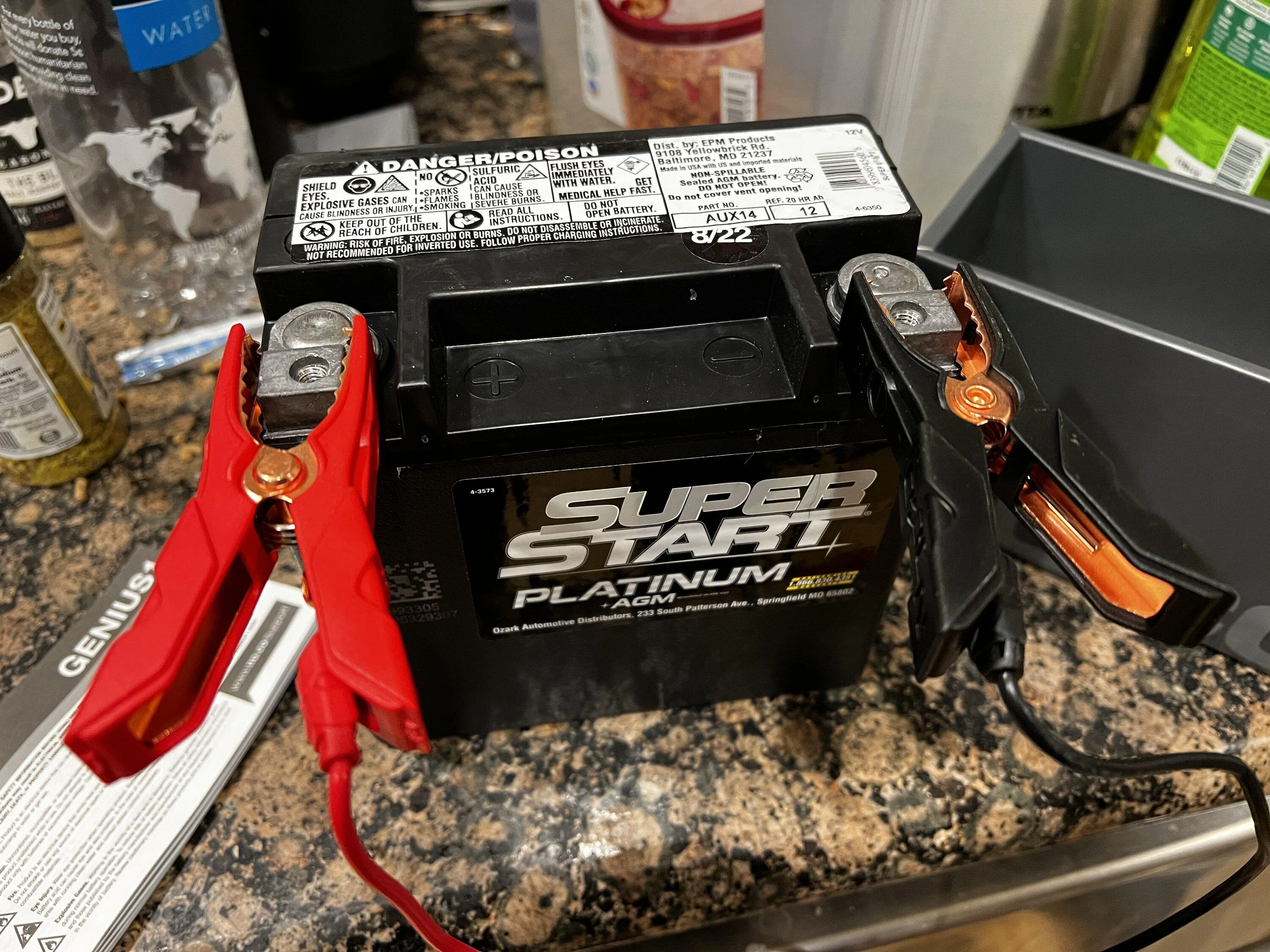
Troubleshooting Steps For Persistent Issues
Sometimes, aux switches stay unavailable even after charging is done. Here’s what to do:
1. Check For Error Codes
Use an OBD-II scanner to check for battery or electrical system codes.
2. Inspect Fuses
Find the aux switch fuse in the fuse box. Replace if blown.
3. Reset Computer
Disconnect battery for 10 minutes to reset the BCM.
4. Test Battery Health
If the battery fails a health check, replace it.
5. Visit A Professional
If problems persist, see a certified mechanic or dealer.
Non-obvious Insights
- Not all aux switches are equal. Some are high-power (winches, compressors) and more likely to be disabled during charging.
- In some vehicles, aux switches are disabled even if you use solar charging or portable battery packs.
Real-life Scenarios And Solutions
1. Off-road Adventure
You’re camping with a Ford F-150. Using lights and winch, you notice aux switches stop working when charging with a generator. Solution: Wait for charging to finish, restart the truck, check battery health before next trip.
2. Ev Accessory Installation
You install aftermarket heated seats in a Tesla Model 3. During charging, seats won’t turn on. Solution: Check compatibility, update software, consult Tesla for best practices.
3. Winter Battery Drain
In cold weather, your Ram truck’s battery drains faster. Aux switches are disabled more often. Solution: Charge battery regularly, reduce accessory use in winter, keep battery terminals clean.
Safety And Reliability
Manufacturers design these systems for safety. Disabling aux switches during battery charging protects:
- Battery health: Prevents damage from overloading.
- Electrical system: Avoids voltage drops and fire risk.
- Accessories: Stops malfunction or damage.
For reliability, follow best practices: charge batteries before using heavy accessories, maintain your electrical system, and use compatible aux switches.
Frequently Asked Questions
What Are Auxiliary Switches In A Vehicle?
Auxiliary switches are controls for extra electrical features in your car or truck. They turn on accessories like off-road lights, winches, air compressors, or custom add-ons.
Why Are Aux Switches Unavailable During Battery Charging?
The system disables aux switches to protect the battery and electrical circuits. Charging puts stress on the battery, and using accessories can cause overload or damage.
How Do I Restore Aux Switch Function After Charging?
Wait for charging to finish, restart the vehicle, and check battery health. Most systems restore aux switch function automatically.
Can I Use Aux Switches While Charging If I Need Them Urgently?
It’s not recommended. Forcing aux switches during charging can damage the battery or electrical system. If it’s an emergency, check your owner’s manual for guidance.
What If The Warning Persists After Charging Is Complete?
Check battery health, inspect connections and fuses, update software, and use an OBD-II scanner for error codes. If problems persist, see a professional mechanic.
Final Thoughts
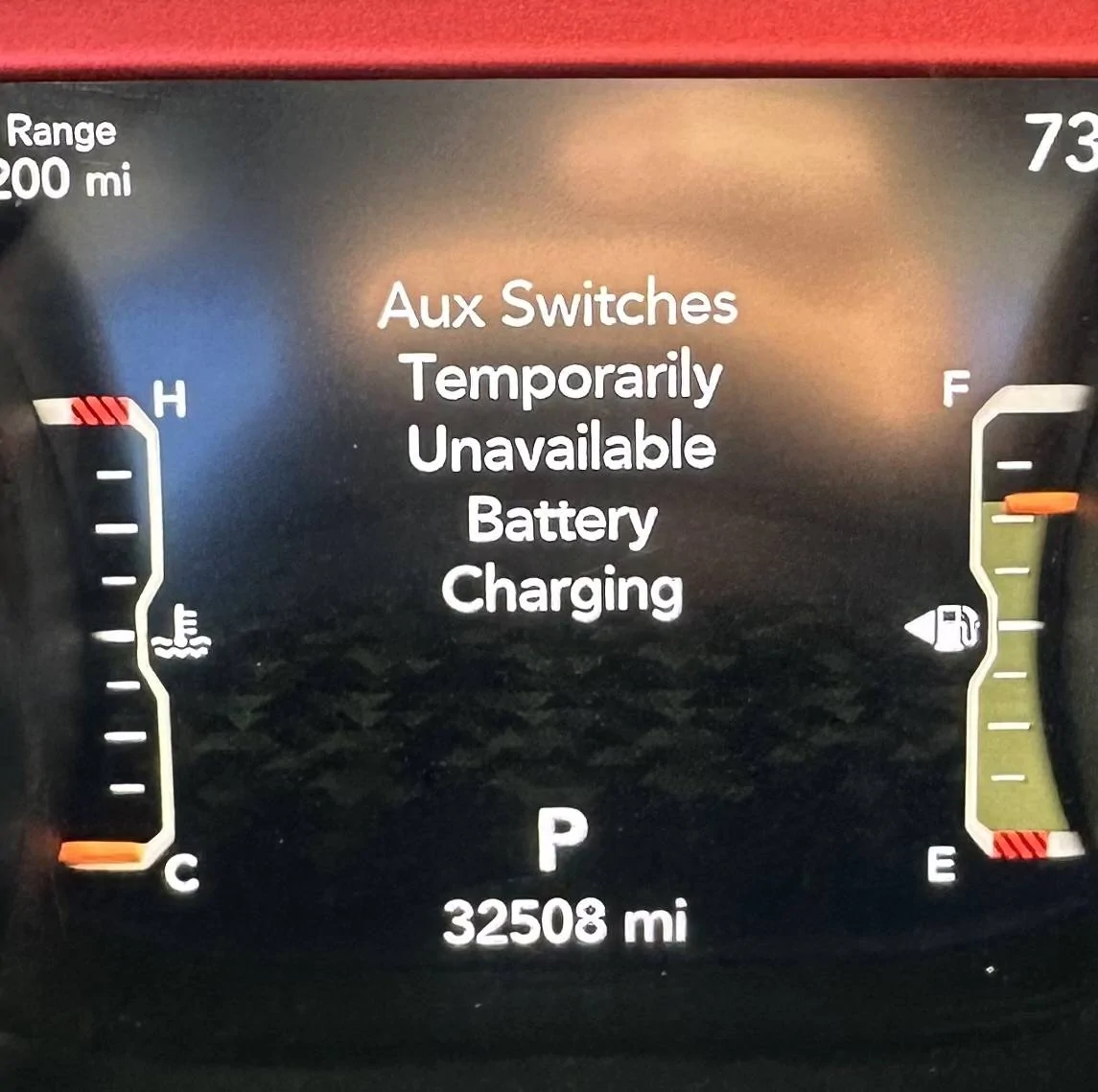
The warning Aux Switches Temporarily Unavailable Battery Charging is a sign your vehicle is protecting itself. It’s not a permanent problem, but understanding why it happens and how to fix it can save you time and money. Always charge your battery regularly, limit accessory use during charging, and maintain your electrical system. If the warning continues, check for deeper issues or consult a professional. With the right knowledge, you can keep your vehicle’s electrical features working safely and reliably. For more technical details, visit Wikipedia.